
Project - Software
Wer
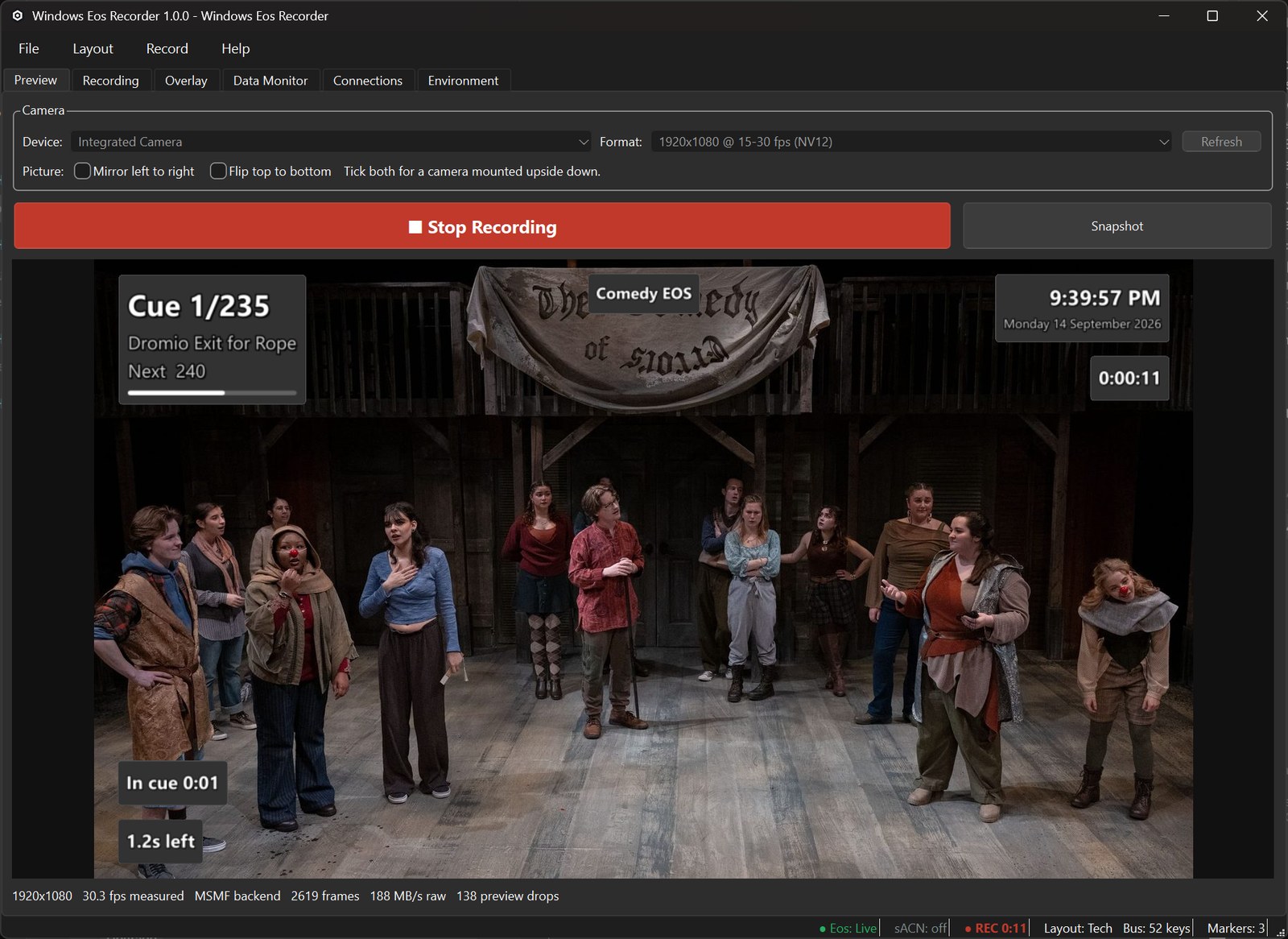
A recorder for lighting techs. The camera feed with the console's data burnt in: the cue, the fade, the command line, the clock.
Wer-1.0.0-setup.exe, 68.6 MB. Windows 10 or 11. Free software, GPL v3.
The camera feed, with the console's data on top
Wer, the Windows Eos Recorder, is an application that overlays cue and console information from an ETC Eos desk over a video feed, using OSC received from the console. It allows recordings of techs and run-throughs to be reviewed after the fact.
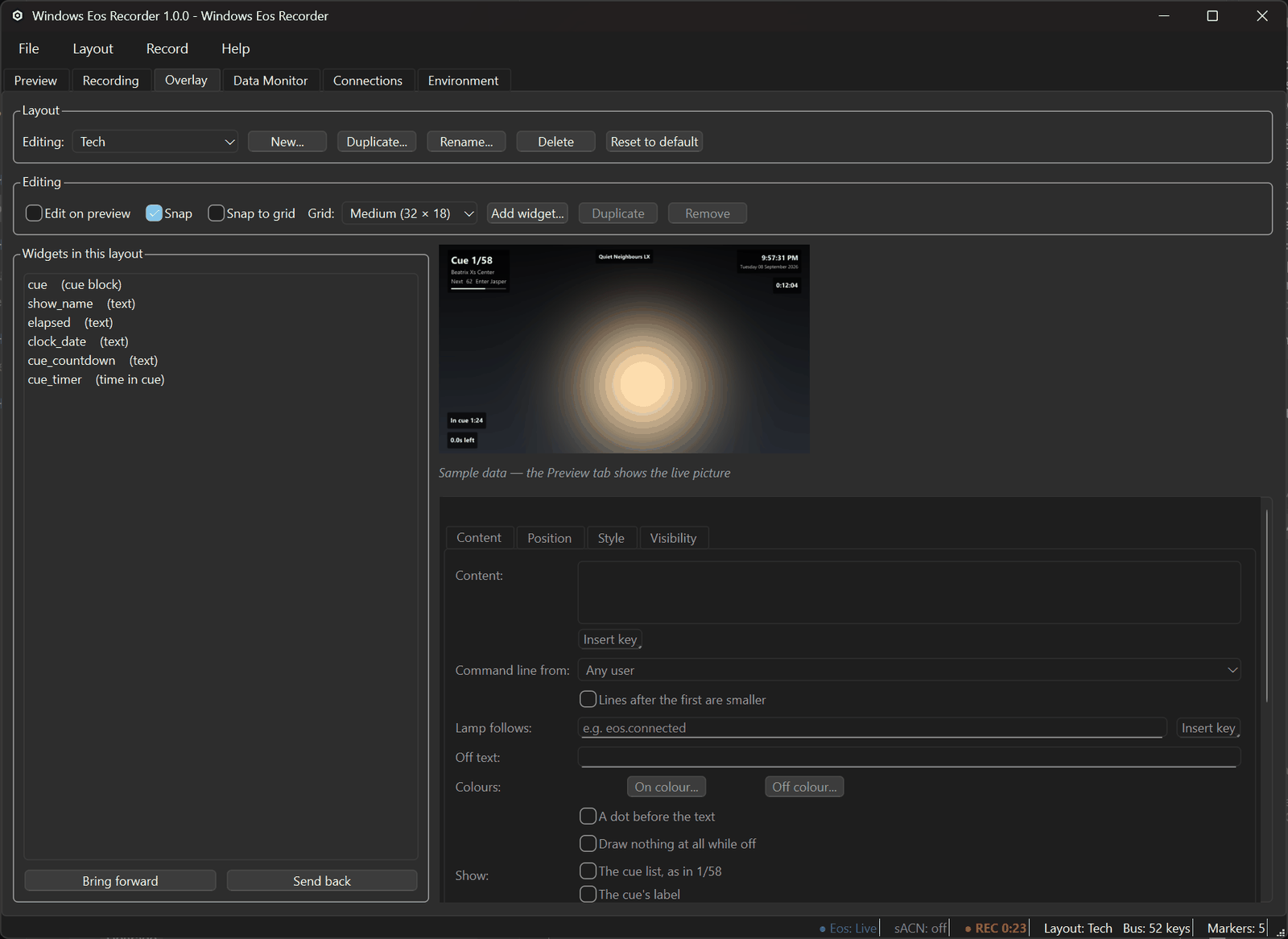
The overlay is built from widgets placed on the frame. Three ready-made layouts ship, with seven more presets behind them, and any of them can be changed or replaced. Anything from the fade time to the command line to a note of your own can be put on the picture.
It is for the lighting designer or programmer who wants a recording of a tech that is still useful afterwards, not a blurry phone video of a dark stage.
Takes that hold up
Takes are recorded as H.264, into MKV by default (an MKV survives a crash) or MP4. Wer uses the machine's hardware encoder where there is one, from NVIDIA, Intel or AMD, and falls back to software encoding where there is not. Markers go in by hand, on every cue the desk fires, or with a snapshot, and come out as chapters in the file.
Sound comes from any Windows audio input, and the offset between sound and picture is measured with a clap test.
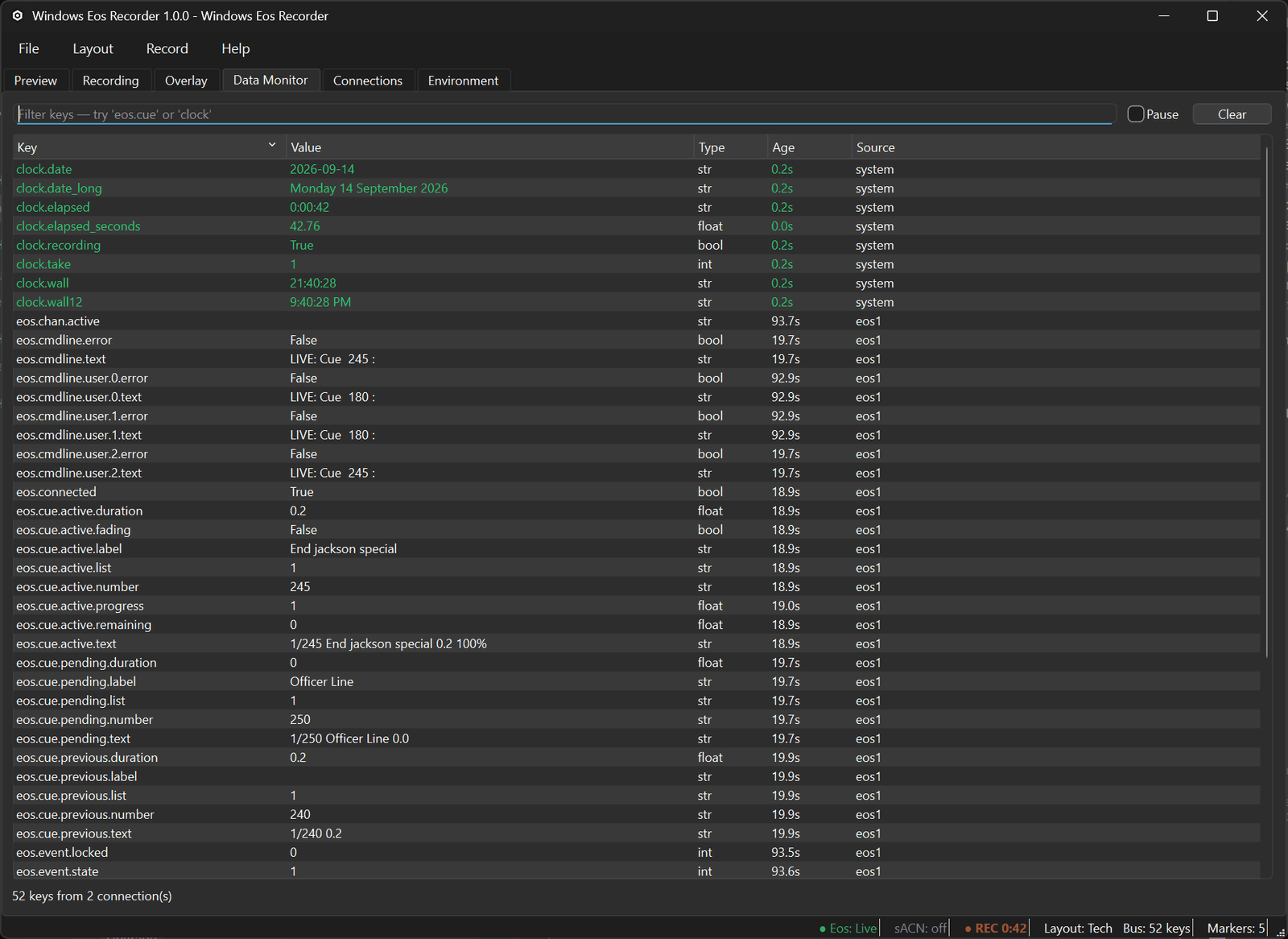
The console can drive it too. A macro on the desk can start, stop and mark a take, or switch layouts, over the connection Wer already has to it, and Wer can send its recording status back out over sACN so a light in the rig shows when it is rolling.
Per-user, no administrator prompt
Wer-1.0.0-setup.exe, 68.6 MB. Windows 10 or 11, 64-bit.
SHA-256 A07A378C0459197EC15D30BEB28AE92F21DA0771B287CBC2E5FA9ED476458A12
Wer ships as a single installer with nothing else to download: Python, Qt and ffmpeg are inside the build. It installs per user, with no administrator prompt, so it goes onto a locked-down venue laptop, and it uninstalls like any other Windows program, leaving settings and recordings alone.
Wer is not code-signed. Windows warns about an unknown publisher the first time it runs: choose More info, then Run anyway.
You need Windows 10 or 11, a camera Windows can see, and, for the console data, an Eos-family desk or Nomad on the network with OSC output on. Everything else works without a console.
Free software, GPL v3 or later
Wer is free software under the GNU GPL, version 3 or later, and the source is on GitHub, tagged for every release. It bundles an unmodified FFmpeg and uses Qt under the LGPL; the notices that ship with it name every component.
Problems go to wer@hudco.lighting with the log attached (Help, then Open Log Folder). Patches are welcome after a word first; the repository's CONTRIBUTING file explains the contributor agreement.